

Removing organizations seems to be missing
Quick update on this one, testing in another tenant I found that the delete option is indeed there! The issue I had seems to be as simple as a scroll bar not rendering on my page! Anyway, I’ll leave the post here in case it helps anyone!
An interesting issue I came across recently when doing some testing on Cross Tenant Access Policies. I created a new organization from the Entra admin center as shown in Figure 1. This linked my personal tenant to a test tenant and was only temporary.

Figure 1: Cross-tenant access settings configured in Microsoft Entra ID
Once I was finished testing, I decided to delete the organization to keep my tenant free and this led to quite a bit of head scratching – I couldn’t find where to delete it! I clicked around in a confused manner for a few minutes until I resorted to googling the issue to see if I was missing something obvious. Sure enough, I found a few forum posts and message boards where people had asked the same question but with no real resolution identified.
At this point I had lost patience for the job and recalled I had written a script some time ago which retreived these settings using the Graph PowerShell SDK. I guessed if Graph can get the settings, it’s worth a shot deleting from there.
In the script I had used the cmdlet Get-MgBetaPolicyCrossTenantAccessPolicyPartner which returns a list of partner organizations from the cross-tenant access settings. A quick check on Graph explorer of the endpoint “https://graph.microsoft.com/beta/policies/crossTenantAccessPolicy/partners” gave me a list of tenants I had set up. From Graph Explorer (which is an amazing tool for quick tests like this), I could also retreive the organization cross-tenant settings from the endpoint “https://graph.microsoft.com/beta/policies/crossTenantAccessPolicy/partners/<TenantID>” .
Finally, taking a change and issuing a DELETE request to this endpoint (Figure 2) did the job! I got a 204 response and when I checked the organization had been removed.
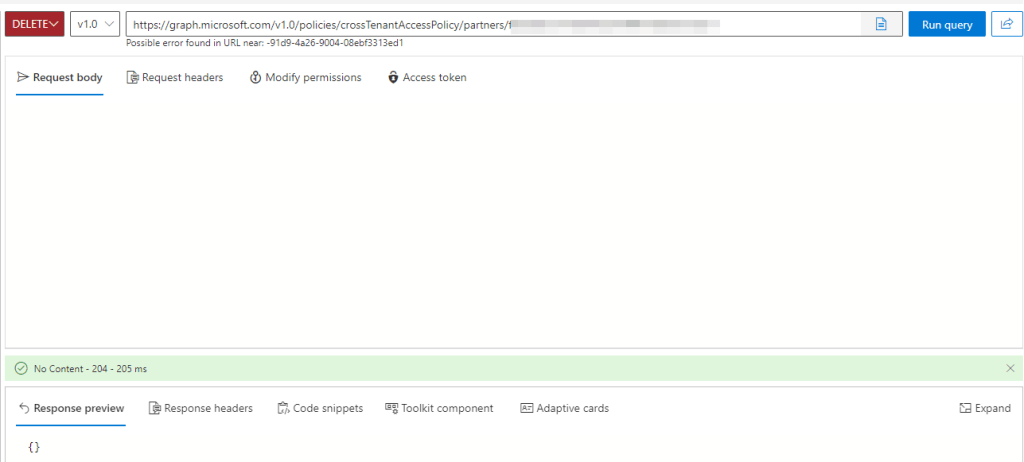
Figure 2: Deleting the organization using Graph Explorer
This was a weird one and maybe I am just completly missing the delete option buried somewhere in the GUI but I decided to upload a quick post on it just in case anyone else ends up in the same situation as me!
 Sean McAvinue